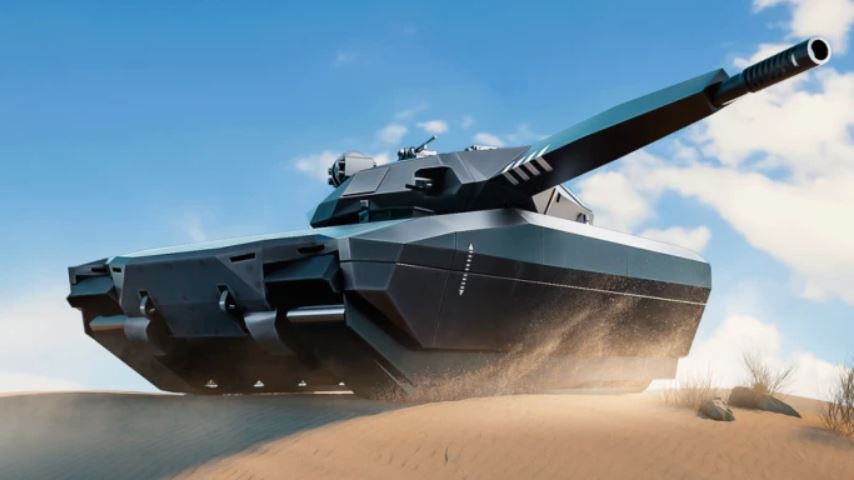
War Tycoon is a popular Roblox game that combines military base building, strategy, and intense combat. Your goal is to build a powerful base, generate money, upgrade your weapons and vehicles, and then use them to attack other players or defend your own territory in a massive multiplayer environment.
To succeed, you must first master the game’s controls. This guide provides a complete overview of the controls for both PC and mobile, along with essential tips to secure your base and thrive on the battlefield.
War Tycoon PC Controls Overview
The PC version of War Tycoon uses a standard keyboard and mouse setup common in first-person games. Here is the complete control scheme:
Movement: Use the W, A, S, D keys to move forward, left, backward, and right.
Sprint: Hold the Left Shift key to run faster.
Crouch: Press the C key to crouch, making you a smaller target.
Shoot: Left Click with your mouse to fire your equipped weapon.
Aim (Zoom): Right Click and hold to aim down your weapon’s sights for better accuracy.
Reload: Press the R key to reload your current weapon.
Change Stance: Use the Q and E keys to adjust your weapon’s firing angle or stance.
Interact / Collect Money: Press the E key to interact with objects, collect money from your base, or pick up oil barrels.
Vehicle Controls: While in a vehicle, use the W, A, S, D keys to drive and your mouse to steer the direction. Combat vehicles will use Left Click to fire their weapons.
War Tycoon Mobile Controls Overview
The mobile control scheme is designed for touchscreens, using virtual buttons and joysticks.
Movement: Use the virtual joystick on the left side of the screen to move your character.
Aim and Shoot: Use your right thumb to drag anywhere on the right side of the screen to aim. A fire button will appear in that area to shoot.
Reload: Tap the reload button that appears on the screen when your ammo is low.
Interact / Collect Money: Tap the interact button that appears when you are near collectible money, oil barrels, or other interactive objects.
Vehicle Controls: Vehicles have on-screen buttons for forward, reverse, and steering. A separate button is used for attacking with the vehicle’s weapons.
Zoom: You can usually pinch the screen to zoom in and out, or use a dedicated zoom button if available.
Essential Beginner Tips for Success
Knowing the controls is the first step; using them effectively is the next. Here are key tips to help you get started.
1. How to Earn Money Efficiently
Money is the lifeblood of your military empire. You can generate it through several methods:
Oil Extractors: Build and upgrade oil extractors in your base for a steady, passive income.
Oil Barrels: Manually collect oil barrels that are scattered across the game map.
Operations: Complete in-game operations (missions) for a significant cash reward.
2. Protecting Your Base from Raiders
A vulnerable base is a target. Secure your hard-earned cash and upgrades with these strategies:
Build Walls: Construct walls around your key structures, like your money printer and oil extractors.
Add Defenses: Place automated turrets and shields to defend against attacking players.
Secure Your Doors: Upgrade your base’s door to “Owner-Only” to prevent other players from simply walking in and stealing your money.
3. Understanding Rebirth and Progression
Once you have heavily upgraded your base, consider the Rebirth feature.
What it is: Rebirth allows you to reset your base back to the beginning.
Why do it: In return, you earn special exclusive items and unlock new vehicles and weapons that were previously unavailable, giving you a long-term progression goal.
Frequently Asked Questions (FAQ)
Q: What is the main goal in War Tycoon?
A: The goal is to build, upgrade, and defend a military base, generate money, and use your growing arsenal to attack other players’ bases in a persistent multiplayer world.
Q: How do I fly a helicopter on PC?
A: Enter a helicopter and use W to gain altitude, S to lose altitude, and A & D to rotate. Use your mouse to tilt the helicopter for forward, backward, and sideways movement. Practice in a safe area first!
Q: Can I play War Tycoon on mobile and PC on the same server?
A: Yes, Roblox supports cross-play, so mobile and PC players can interact and battle on the same servers.
Q: What is the most important thing to protect in my base?
A: Your money-generating structures (Oil Extractors, Money Printers) are the most critical. Without them, your progress will halt.
Conclusion
Mastering the War Tycoon controls on both PC and mobile is the fundamental first step toward dominating the game. By efficiently earning money through oil and operations, and strategically defending your base with walls and turrets, you can build an unstoppable military force. Remember to use the Rebirth system to unlock even greater power in the long run. Now, with these controls and tips in hand, you’re ready to deploy, build, and conquer.