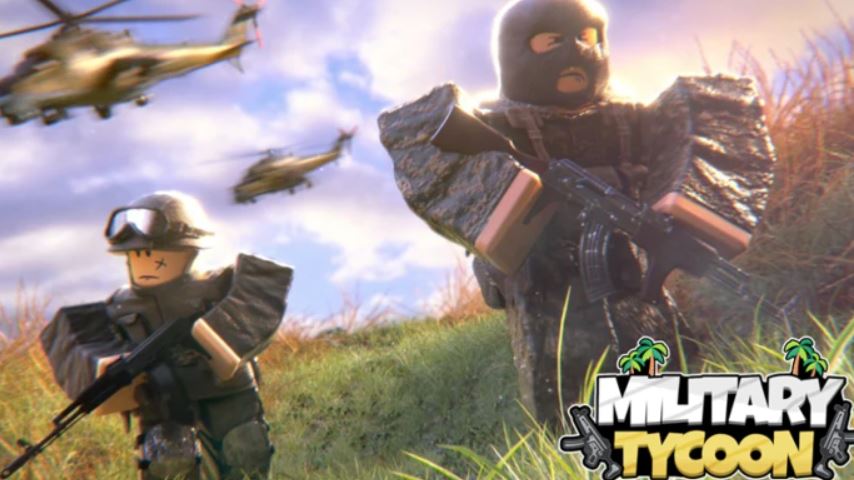
Military Tycoon on Roblox puts you in command of your own national military force. The goal is to build a powerful base, produce an army of tanks, helicopters, and fighter jets, and dominate the map by capturing key locations like forts and oil rigs. To succeed in this competitive environment, mastering the game’s controls is the first and most critical step. This guide will break down all the essential controls for both PC and mobile, and provide key tips to enhance your combat effectiveness.
Why Mastering Controls is Crucial
In Military Tycoon, you are in a constant struggle for territorial control against other players. Your ability to move efficiently, aim accurately, and operate vehicles seamlessly directly impacts your success in battle. A player who knows the controls inside and out can react faster, fight smarter, and secure victories that propel their nation to the top.
Complete PC Controls Guide
The PC version of Military Tycoon offers a classic and precise control scheme.
Movement & Camera:
Move: Use the W, A, S, D keys.
Camera: Look around by moving your mouse.
Sprint: Hold Left Shift.
Jump: Press the Spacebar.
Combat & Interaction:
Aim / Use Tool: Left Click with your mouse.
Enter/Exit Vehicle: Press the E key.
Switch Weapons: Use the number keys (1, 2, 3, etc.) on your keyboard.
Menu: Press Tab to open the game menu.
Complete Mobile Controls Guide
The mobile version uses an intuitive touch-screen interface designed for on-the-go command.
Movement & Camera:
Move: Use the virtual joystick on the left side of the screen.
Camera: Swipe anywhere on the right side of the screen to look around.
Combat & Interaction:
Aim / Use Tool / Enter Vehicle: Tap the action button that appears on the screen.
Switch Weapons: Tap the corresponding weapon icon on the screen.
Jump: Tap the jump button (often an icon of a figure jumping).
Sprint: Tap the sprint button (often an icon of a person running).
Menu: Tap the menu button (usually represented by three lines or a “Tab” icon).
Basic Combat & Gameplay Loop
Understanding the controls allows you to execute the core gameplay loop effectively:
Build Your Base: Use your base to generate income and produce vehicles like tanks and aircraft.
Capture Objectives: Use your movement controls to navigate to forts and oil rigs. These are the primary sources of income and are crucial for unlocking stronger weapons and equipment.
Engage in Combat: When you encounter an enemy, use your camera and aim controls to target them. Use the fire button (Left Click on PC, tap on mobile) to engage.
Utilize Vehicles: Press E (PC) or tap the action button (Mobile) to enter a vehicle. Inside a vehicle, the controls typically change to accelerate, reverse, and fire the vehicle’s weapons.
Respawn and Adapt: If you are defeated in combat, you will respawn. Use this as a learning experience. Return to your base, strengthen your forces, and try again with a better strategy and a firmer grasp of the controls.
Essential Tips for New Commanders
Practice Vehicle Handling: Each vehicle (tank, helicopter, jet) handles differently. Spend some time in a safe area getting used to their movement and weapon systems.
Use Cover: Don’t just run in a straight line. Use the sprint function and environmental cover to make yourself a harder target to hit.
Know Your Loadout: Quickly switching to the right weapon for the situation is key. Memorize your weapon slots on PC and keep your mobile UI organized for fast access.
Strength in Numbers: While individual skill is important, coordinating with teammates to capture objectives and defend against attacks is the ultimate path to victory.
FAQ (Frequently Asked Questions)
Q: What is the most important keybind on PC?
A: The E key is vital, as it allows you to quickly enter and exit vehicles, which is central to the game’s warfare.
Q: How do I fly a helicopter or plane on mobile?
A: Enter the aircraft using the action button. The controls will then change; the joystick typically controls pitch and roll, while other on-screen buttons control throttle and weapons.
Q: I keep dying. What should I do?
A: This is normal when starting out. Focus on building your base’s economy first. A stronger base produces better vehicles, giving you a significant advantage in future fights.
Q: Can I customize the controls?
A: While the game does not have extensive rebinding, the mobile UI can sometimes be slightly adjusted. Check the game settings for any available options.
Conclusion
Mastering the controls in Military Tycoon is the foundation upon which all military strategy is built. Whether you’re using a PC’s keyboard and mouse for precision or a mobile device’s touchscreen for convenience, understanding how to move, fight, and command vehicles is non-negotiable. By practicing these controls and applying the basic tips provided, you will drastically improve your combat performance, contribute more to your team, and steadily build the dominant military force needed to rule the map. Now, Commander, it’s time to deploy.
Related posts:
- How to Get Circus Tickets in Rebirth Champions Ultimate
- All Weather Types in Grow a Garden Roblox – Effects, Mutations & Farming Tips
- Dig It Buried Truths Update – All Echoes, Secret Shovel, and Weather Mechanics
- How to Trigger Tornado Event in Grow a Garden
- King Legacy Fruit Tier List Update 8 + Best Fruits Explained
- How to Get to Nen City in Arise Crossover