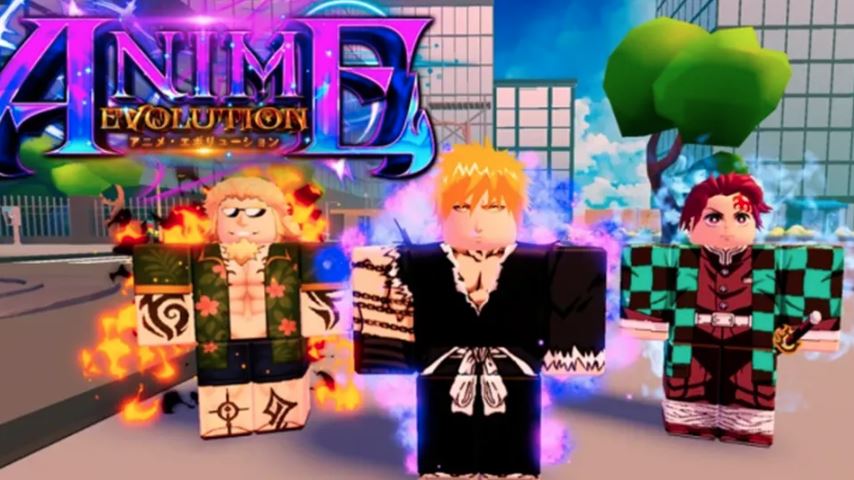
Mastering the controls is your first step to becoming a powerful fighter in Anime Evolution, a popular Roblox game where you start weak and grow stronger by evolving, collecting pets, and conquering worlds. This guide breaks down every control for both PC and mobile, providing the essential knowledge you need to start your journey efficiently.
Complete PC Controls & Keybinds
Playing on a computer offers precise control. Here is the standard key layout for Anime Evolution on PC:
Move: W, A, S, D (Forward, Left, Backward, Right)
Jump: Spacebar
Attack / Click: Left Mouse Button
Use Skill / Evolve: E Key
Open Egg Menu: H Key
Open Main Menu: M Key
Sprint: Hold Left Shift
Pro Tip: The E key is context-sensitive. It’s used to activate your character’s special skill and, when you have enough souls and are at the correct location, to trigger your evolution into a stronger form.
Complete Mobile Controls & Layout
The mobile interface uses on-screen buttons. Here’s what each button does:
Move: Left-side Joystick (Virtual D-pad)
Jump: Jump Button (usually on the right side)
Attack: Attack Button (a fist or sword icon)
Use Skill / Evolve: Skill Button (often labeled “Skill” or “E”)
Open Egg Menu: Egg Button (egg icon)
Open Main Menu: Menu Button (hamburger icon ≡ or “Menu”)
Sprint: Sprint Button (a running figure icon)
The functions are identical to the PC version; you’re just using touch inputs instead of a keyboard and mouse.
Core Gameplay Mechanics Explained
Understanding what the controls do is just as important as knowing the buttons.
1. Gaining Souls and Evolving
Your primary goal is to collect Souls by defeating enemies (click/attack).
Accumulate enough Souls.
Travel to the Evolution Platform (usually a glowing circle or specific area in the spawn zone).
Press the E key (PC) or Skill button (Mobile) to open the evolution menu.
Select your next form. Each evolution grants a significant power boost and often a new appearance and skill.
2. Hatching Shadow Pets
Pets provide automatic damage and stat boosts.
Press H (PC) or the Egg button (Mobile) to open the Egg Menu.
Choose an egg to hatch. Eggs require either Souls or special Keys.
Hatching gives you a random pet. Equip it from your inventory to have it aid you in battle.
3. Progressing Through Worlds
The game features multiple worlds with increasingly tough enemies and bosses.
Use your movement controls to explore and find new areas.
Defeat the boss in your current world to unlock the portal to the next one.
Each new world offers better rewards and more powerful enemies to test your evolved forms.
Beginner Tips for Fast Progress
Enable Auto Attack: Early on, find and enable Auto Attack in the settings or as a button on your screen. This lets you farm Souls automatically from nearby enemies.
Focus on Evolution: Your first priority is always to gather Souls for your next evolution. More evolved forms farm Souls much faster.
Use Pets Wisely: Always have a pet equipped. They deal passive damage, helping you defeat enemies and bosses quicker.
Redeem Codes: Check for active Codes from the game’s social media. These can give you free potions (damage boosts), souls, or keys to speed up your early progress.
Explore: Don’t just stand in one area. Run (Sprint) around your current world to find hidden bosses or better farming spots.
FAQ
Q: What is the most important button in Anime Evolution?
A: The Attack button (Left Click / Attack Button) is fundamental for collecting Souls, and the E key / Skill button is crucial for evolving and using your ability.
Q: How do I get stronger fast as a beginner?
A: Turn on Auto Attack, farm Souls from the weakest enemies you can quickly kill, and evolve as soon as possible. Use any free boost codes from the game’s developers.
Q: Can I change the controls on PC or Mobile?
A: In the Roblox settings menu (accessed by pressing ESC on PC or the Menu button on mobile), you can sometimes adjust basic controls like sensitivity, but the core keybinds for actions (E, H) are usually fixed by the game.
Q: What do Shadow Pets do?
A: They automatically attack enemies for you and provide stat bonuses, making them essential for taking down tough bosses and farming efficiently.
Q: I have enough Souls but can’t evolve. Why?
A: You must be at the designated evolution area in the spawn world to evolve. Look for a glowing platform or circle.
Conclusion
Success in Anime Evolution hinges on mastering its simple yet vital control scheme. Whether you’re on PC using WASD to move and E to evolve, or on mobile using the joystick and Skill button, practicing these inputs will make your gameplay seamless. Remember the core loop: Attack to gain Souls -> Evolve for power -> Hatch Pets for support -> Conquer new worlds. By following the beginner tips and understanding each control’s purpose, you’ll efficiently progress from a weak beginner to a formidable anime-inspired powerhouse.