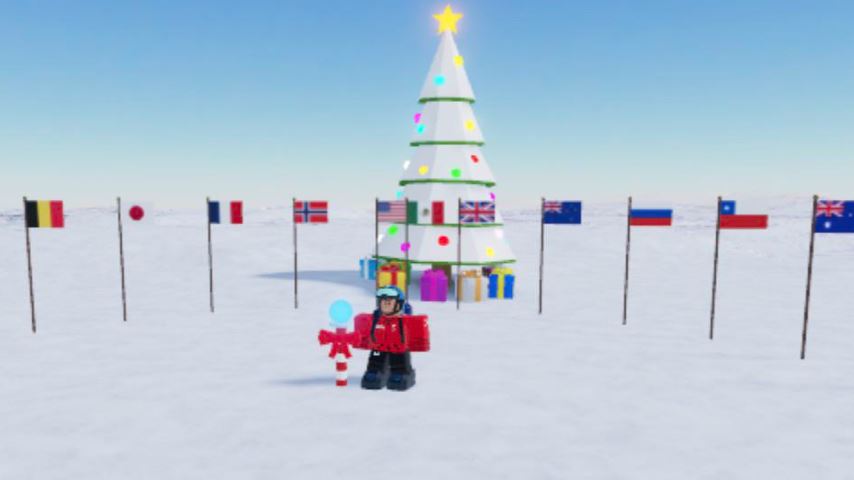
Expedition Antarctica is an adventure game on Roblox that places players in the role of an explorer traveling across the Antarctic continent toward the South Pole. The journey spans approximately 1,934 kilometers, starting from a supply-filled base camp and progressing through multiple checkpoints while facing extreme environmental challenges. Because survival depends heavily on movement accuracy, understanding the control layout is essential for both PC and mobile players.
This guide breaks down all controls for Expedition Antarctica and explains why precise input matters throughout the expedition.
Overview of Expedition Antarctica Gameplay
The expedition begins at Base Camp, where players prepare by collecting supplies such as energy bars. From there, the journey continues through Camp 1 to Camp 4, with each checkpoint acting as a respawn location.
Along the way, players encounter various obstacles, including:
Ladders and ropes
Caves and glaciers
Snow avalanches
Mountain climbs, including Mount Kirkpatrick and Mount Vinson
Falling from cliffs, failing climbs, or running out of energy causes the loss of one life, after which the character respawns at the nearest unlocked camp.
PC Controls for Expedition Antarctica
On PC, the game uses a standard keyboard-and-mouse setup designed for precise movement and camera control.
PC Control Layout
Movement: WASD keys
Jump: Spacebar
Sprint: Hold Left Shift while moving
Interact / Climb ladders and ropes: E
Crouch: Left Ctrl
Camera control: Mouse
Shift Lock on PC
The Shift Lock feature can be activated by holding the Shift key. This mode is especially useful when climbing ladders, navigating narrow paths, or maintaining balance in hazardous areas where precise control is required.
Mobile Controls for Expedition Antarctica
On mobile devices, controls are adapted for touch input while maintaining the same core functionality.
Mobile Control Layout
Movement: Left joystick
Camera control: Right joystick
Jump: Jump button on the right side of the screen
Sprint: Hold the sprint button
Interact / Climb: Tap the interaction button
Shift Lock on Mobile
Shift Lock is available on mobile through the settings menu. When enabled, it improves movement accuracy, particularly during climbing sequences and tight navigation sections.
Why Controls Matter in Expedition Antarctica
The most difficult parts of Expedition Antarctica involve climbing ice ladders, ropes, and snowy mountains, especially during snowstorms and strong winds. In these conditions, small movement errors can result in falls and lost lives.
Using Shift Lock and maintaining steady camera control are critical for:
Staying balanced on ladders and ropes
Avoiding falls during storms
Navigating narrow or elevated terrain
Mastery of the control layout significantly increases survival chances and allows smoother progression between camps.
Respawn System and Checkpoints
Each camp serves as a checkpoint. If a player:
Falls from a ledge
Fails a climb
Runs out of energy
They lose one life and respawn at the nearest camp reached, whether it is Camp 1, Camp 2, Camp 3, or Camp 4. Progress is preserved based on the furthest camp unlocked.
Conclusion
Expedition Antarctica demands careful movement and precise control to overcome its environmental hazards. Whether playing on PC or mobile, understanding the full control layout and using features like Shift Lock can make the difference between steady progress and repeated failures. By mastering these controls, players are better prepared to survive harsh conditions and continue their journey toward the South Pole.
Frequently Asked Questions (FAQ)
What are the movement controls on PC in Expedition Antarctica?
Movement is controlled using WASD, with Spacebar for jumping and Left Shift for sprinting.
How do you interact with ladders and ropes?
Press E on PC or tap the interaction button on mobile to climb ladders and ropes.
What is Shift Lock used for?
Shift Lock helps maintain precise movement and balance, especially during climbing and narrow terrain sections.
Can you use Shift Lock on mobile?
Yes. Shift Lock can be enabled through the mobile settings menu.
What happens when you lose a life?
You respawn at the nearest camp checkpoint you have already reached.