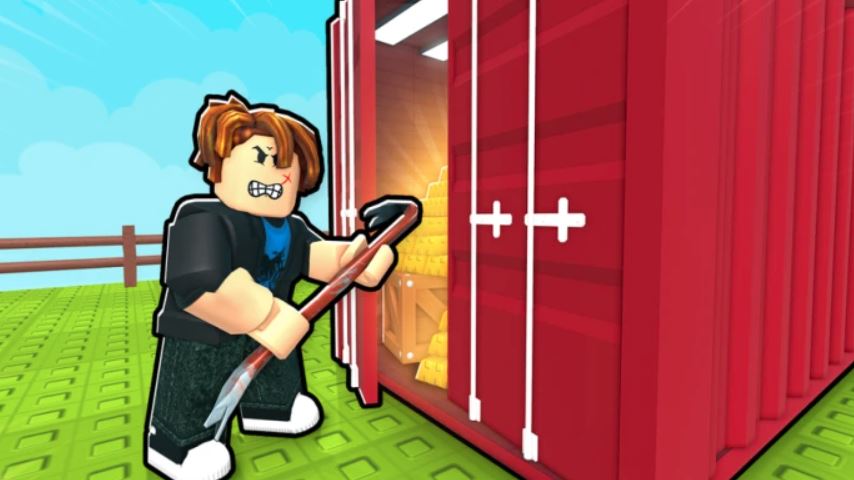
Container RNG is a popular Roblox game centered on the thrilling loop of buying containers, opening them for random items, and selling those items for coins to buy even better containers. The core appeal is the unpredictability—you never know if the next container will contain a common item or a rare, high-value treasure.
To progress efficiently, mastering the game’s controls is essential. This guide provides a complete breakdown of the controls for both PC and mobile, along with key tips to speed up your progress and improve your chances.
PC Controls Layout
The PC controls are designed for quick and efficient inventory management. Here is the full list of default keybinds:
Movement: W, A, S, D
Camera: Mouse movement
Open Container / Pick Up Item: E
Drop One Item (to sell): Q
Drop All Items (to sell): Z
Use Computer: E (when facing the computer)
Mobile Controls Layout
The mobile interface translates these actions into a touch-based system:
Movement: Virtual Joystick on the left side of the screen.
Open Container: Tap directly on the container.
Pick Up Item: Tap directly on the item on the ground.
Drop One Item / Drop All Items: Use the dedicated on-screen buttons (usually located on the right or bottom of the screen).
Use Computer: Tap directly on the computer.
Core Gameplay Functions Explained
Knowing the buttons is one thing; understanding how to use them effectively is another.
Opening Containers: Walk up to a container and press E (PC) or tap it (Mobile). This will reveal a random item, which will appear on the floor in front of you.
Managing Your Inventory: Your inventory is the space around you. To pick up an item, press E (PC) or tap it (Mobile). To sell items, you must drop them into the selling zone. Use Q to drop a single held item or Z to drop your entire inventory at once (PC). On mobile, use the corresponding on-screen buttons.
Using the Computer: The computer is your hub for all progression. Interact with it to:
Buy Containers: Purchase new containers of different rarities and price points.
Purchase Upgrades: Buy permanent upgrades that increase your luck, giving you a better chance to find rare items from containers.
Essential Tips for Efficient Progression
Speed and efficiency are the keys to earning more coins and unlocking better containers.
Master the “Drop All” Function: The Z key (or its mobile equivalent) is your best friend. Instead of selling items one by one, fill your inventory and then use “Drop All” to sell everything in the zone instantly. This dramatically speeds up your coin farming.
Prioritize Luck Upgrades: When using the computer, your primary goal should be to save for and purchase Luck upgrades. A higher luck stat directly increases your odds of pulling rare items from every container, creating a positive feedback loop for your economy.
Create an Efficient Loop: Develop a routine: Grab a container -> Open it -> Pick up the item -> Repeat until your inventory is full -> Use “Drop All” in the sell zone -> Return to the computer to buy more containers and check for upgrades.
Stay Organized: Try to keep your workspace clear. Picking up items is faster when they aren’t scattered and overlapping each other.
FAQ
Q: How do I sell items in Container RNG?
A: To sell items, you must drop them into the designated selling zone (the glowing area on the floor). On PC, use Q to drop a single item or Z to drop your entire inventory. On mobile, use the “Drop” buttons on the screen.
Q: What is the most important upgrade to buy first?
A: Luck upgrades are the most crucial. They permanently increase your chance of getting rare items from every container you open, making all future earnings more efficient.
Q: How do I get more coins?
A: The primary way to earn coins is by selling items you unbox from containers. Focus on opening containers quickly and selling your inventory in bulk using the “Drop All” function to maximize your coin gain over time.
Q: Can I control what item I get from a container?
A: No. The “RNG” in the title stands for “Random Number Generator,” meaning the contents of every container are completely random. Your luck stat only influences the probability, not the specific outcome.
Conclusion
Mastering the controls of Container RNG is the foundation for a successful and efficient grinding experience. By quickly navigating the environment with WASD, efficiently managing your inventory with E, Q, and Z, and consistently using the computer to purchase better containers and vital Luck upgrades, you can optimize your gameplay loop. Remember, speed and smart upgrading are the keys to increasing your chances of unboxing that elusive, high-value rare item.
Related posts:
- Container RNG Flower Update and Update 2 Guide
- Container RNG Roblox Begginers Guide How to Play, Sell Items, and Use Flower Containers
- How to Get Limitless Technique in Heian Roblox – Kanju Jewel, RCT, and All Steps
- Lootify Second Sea Update Westwind Wharf, New Planetskills, and Rebirth Cap Raised
- How to Get and Use Pack Bee in Grow a Garden – Increase Your Backpack Space
- Death Star Tycoon Codes & Gift [June 2025]