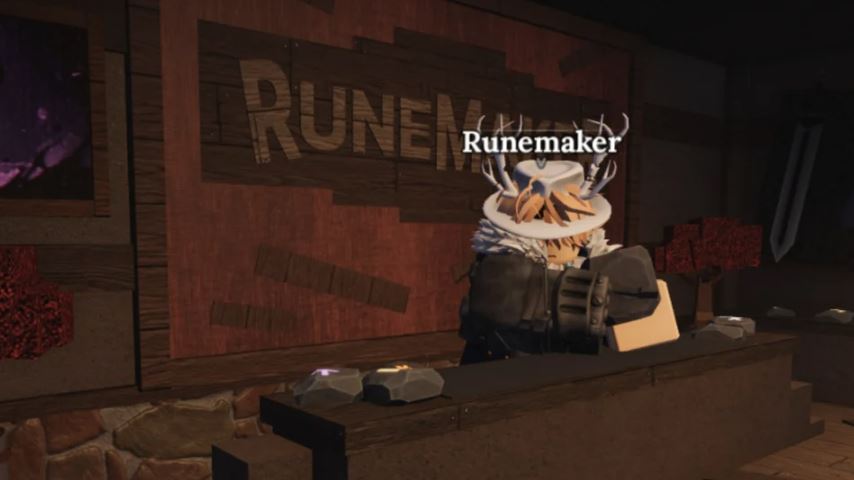
In the world of The Forge, runes are essential power-ups that provide crucial passive effects to your weapons and armor. As you progress and upgrade your gear, you’ll inevitably need to switch your runes around. The good news is that runes are not destroyed upon removal; they can be detached and reused. This guide will walk you through the exact process of how to remove runes, explain the costs involved, and offer practical tips for efficient resource management.
Why Removing Runes Matters
Runes represent a significant investment of time and in-game resources. The ability to detach them safely allows you to:
Recycle powerful runes onto new, better gear.
Experiment with different builds without permanently losing your runes.
Optimize your equipment as you progress through the game’s tiers.
Understanding the removal process is key to smart character progression and gold management.
Step-by-Step Guide: How to Remove a Rune
The process is handled by a specific NPC and is straightforward once you know where to look. Follow these steps:
1. Locate the RuneMaker NPC
Travel to the main hub or town in The Forge and find the RuneMaker NPC. This character is exclusively responsible for all rune-related crafting, attaching, and detaching.
2. Initiate the Rune Crafting Menu
Interact with the RuneMaker and select the option for “Rune Crafting” or a similarly named menu. This will open the primary interface for all rune operations.
3. Access the Select Equipment Menu
Within the Rune Crafting menu, look for and click the button labeled “Select Equipment.” This allows you to choose the specific piece of gear (weapon or armor) that currently has the rune you wish to remove.
4. Choose the Rune to Detach
After selecting your gear, you will see its visual representation on screen. Look for the small rune icons embedded in the equipment’s slots. Click on the specific rune you want to remove. It will then appear highlighted or be moved to a separate panel on the right side of the screen.
5. Confirm and Pay the Detachment Cost
With the rune selected, press the “Detach” button. A confirmation window will pop up, displaying the exact gold cost for the removal. Review the cost carefully.
If you agree, confirm the action. The rune will be successfully removed from the gear and returned directly to your inventory or stash, ready to be used again.
Understanding Detachment Costs
The gold fee for removing a rune is not fixed. It is calculated dynamically based on several factors:
Rune Type & Rarity: Higher-tier runes generally cost more to remove.
Gear Quality & Tier: Removing a rune from an Epic piece of gear will be more expensive than from a Common one.
Enhancement Level: A +5 weapon will have a higher detachment cost for its runes than a +0 version of the same weapon.
Internal Game Formulas: The game uses a hidden calculation that considers the above factors.
Example Costs (for illustration):
Removing a “Miner Shard” rune from a Platinum Pickaxe might cost around 1,313 Gold.
Removing a “Ward Patch” from Medium Leggings +3 might cost around 132 Gold.
Always check the confirmation window before finalizing!
Pro Tips for Smart Rune Management
Cost-Benefit Analysis: Before detaching, consider the value of the gear itself. Sometimes, selling the old gear with the rune attached can yield more gold than paying to remove the rune and then selling the gear separately. Use this strategy for outdated equipment.
Plan Your Upgrades: When you know you’ll soon replace a piece of gear, think twice about slotting an expensive rune into it. Sometimes it’s better to save the rune for your next major upgrade.
Gold Management is Key: Detachment costs can add up. Always keep a reserve of gold for essential operations like rune removal and reuse, as it’s more efficient than constantly acquiring new runes.
Experiment in Stages: Test new rune setups on your secondary or farming gear before committing to expensive removals and re-attachments on your primary PvP or endgame equipment.
Frequently Asked Questions (FAQ)
Q: Do runes get destroyed when I remove them?
A: No. Runes are preserved and sent back to your inventory/stash when detached.
Q: Can I remove a rune from a destroyed or broken piece of gear?
A: Typically, no. You can usually only interact with and remove runes from intact, usable equipment.
Q: Is there a way to reduce the detachment cost?
A: The cost is fixed per transaction based on the game’s formula. There are no known skills or items to reduce this fee. Smart planning is your best way to save gold.
Q: What happens if I don’t have enough gold to pay the detachment fee?
A: The detachment will simply not proceed. You need the full amount of gold as shown in the confirmation window to complete the action.
Q: Can all runes be removed?
A: Generally, yes. However, always check for any specific tooltips on special or event runes that might state otherwise.
Conclusion
Knowing how to remove runes in The Forge is a fundamental skill for any serious player. It transforms runes from a consumable resource into a permanent part of your strategic toolkit. By visiting the RuneMaker NPC, following the simple Select Equipment > Detach process, and always being mindful of the variable gold cost, you can freely optimize your builds. Remember to weigh the detachment cost against simply selling old gear, manage your gold wisely, and never fear experimenting—your runes are always there to be recovered and reused. Master this system, and you’ll ensure your power grows efficiently throughout your journey.