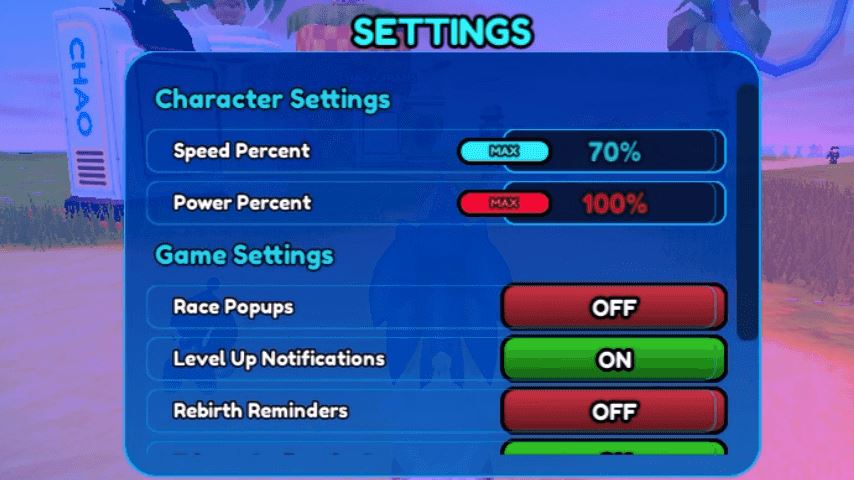
Mastering the controls in Sonic Speed Simulator on Roblox is the key to going fast. This guide breaks down every button for PC and mobile, explains the crucial Rebirth system, and provides essential tips to level up and boost your speed efficiently.
Why Mastering Controls is Essential
Sonic Speed Simulator is a Roblox game focused on speed, where players run like Sonic the Hedgehog to collect Chaos Orbs and Rings. These items are used to increase your character’s level and speed, unlock other characters like Tails and Knuckles through challenges or purchase, and explore worlds full of ramps, loops, and quests. Precise control is vital for navigating these environments at high speed, avoiding collisions, winning races, and maximizing your Chaos Orb collection.
Complete PC Controls & Keybinds
Here is the standard control scheme for playing on a computer:
Movement: W, A, S, D keys or the Arrow Keys.
Jump: Spacebar. Used for reaching platforms and clearing gaps.
Spin Dash / Roll: Left Shift key. This move allows for a burst of speed and is crucial for maintaining momentum.
Attack: Left Mouse Click. Used to break objects and defeat enemies.
Character Menu / Rebirth / Quests: E key. This opens the main menu for managing your character, performing a Rebirth, and tracking quests.
Map / Chaos Orb View: Tab key. Toggles the map and highlights nearby Chaos Orbs.
Special Ability: F key. Activates your current character’s unique ability (e.g., Tails’ flight, Knuckles’ glide and climb).
Rebirth Button: R key. The direct key to open the Rebirth menu when you meet the level requirement.
Complete Mobile Controls & Layout
On touchscreen devices, the controls are managed via on-screen buttons:
Movement: Left-side Joystick. Drag to move your character in any direction.
Jump: Jump Button (typically on the right side).
Spin Dash / Roll: Spin Dash Button. Tap for a speed boost.
Attack: Attack Button. Tap to break objects and defeat enemies.
Character Menu / Rebirth / Quests: Menu Button. Opens the central hub for character, Rebirth, and quests.
Map / Chaos Orb View: Map Button. Opens the map and shows Chaos Orb locations.
Special Ability: Ability Button. Activates your character’s unique skill.
Rebirth Button: Rebirth Button. Used to perform a Rebirth when eligible.
Understanding the Rebirth System
Rebirth is a core mechanic for long-term progression. It allows you to reset your current level back to 1 in exchange for a permanent speed boost.
How it Works: Once you reach a certain level (e.g., level 50), the Rebirth option becomes available. When you perform a Rebirth, you lose your level and start over, but you gain a permanent multiplicative speed increase that applies to all future runs.
Why Rebirth? It is the most effective way to increase your base speed over time. Repeated Rebirths make it easier to collect Chaos Orbs, complete quests, and level up faster in subsequent cycles.
Pro Tips for Increasing Speed & Faster Leveling
Beyond controls, use these strategies to maximize your efficiency:
Chaos Orbs are Priority: These glowing blue spheres scattered across the map are your primary source of speed and level increases. Use the Map (Tab key or Map Button) frequently to locate them.
Run on Tracks: Look for marked racing tracks in the worlds. Running on these grants a significant temporary speed boost.
Complete Daily Quests: Check the quest menu (E key or Menu Button) daily. These offer substantial rewards in Rings and experience.
Collect Daily Rings: Log in every day to collect the free Ring bonus, which can be used in the shop.
Use the Shop: Spend Rings in the shop to purchase permanent cosmetic trails, which also provide a small permanent speed stat increase.
Social Competition: Play with friends and compete on the leaderboards for extra motivation and rewards.
FAQ: Sonic Speed Simulator Controls & Gameplay
Q: What is the most important button for going fast?
A: The Spin Dash (Shift on PC, Spin Dash Button on mobile) is critical for maintaining and gaining momentum, especially after jumps or on flat ground.
Q: How do I do a Rebirth?
A: Reach the required level (check the Rebirth menu), then press the R key on PC or tap the Rebirth Button on mobile. Confirm your choice in the menu that appears.
Q: What’s the difference between Chaos Orbs and Rings?
A: Chaos Orbs directly increase your speed stat and level. Rings are the game’s currency, used to buy characters, trails, and other items from the shop.
Q: Can I change the PC control keys?
A: As a Roblox game, keybinds are generally fixed and cannot be remapped within Sonic Speed Simulator itself.
Q: Which character is the best for beginners?
A: Starting with Sonic is recommended to learn the core mechanics. Tails (with flight) and Knuckles (with gliding and climbing) are excellent for exploring and reaching hidden Chaos Orbs once unlocked.
Conclusion
Effective play in Sonic Speed Simulator hinges on understanding its controls and progression systems. Memorize the keybinds for your platform—whether it’s WASD and Shift on PC or the joystick and action buttons on mobile—to navigate the world with precision. Regularly use the Rebirth mechanic to secure permanent speed boosts, and focus on collecting Chaos Orbs, completing quests, and running on tracks to level up efficiently. Now, get out there and break the sound barrier!