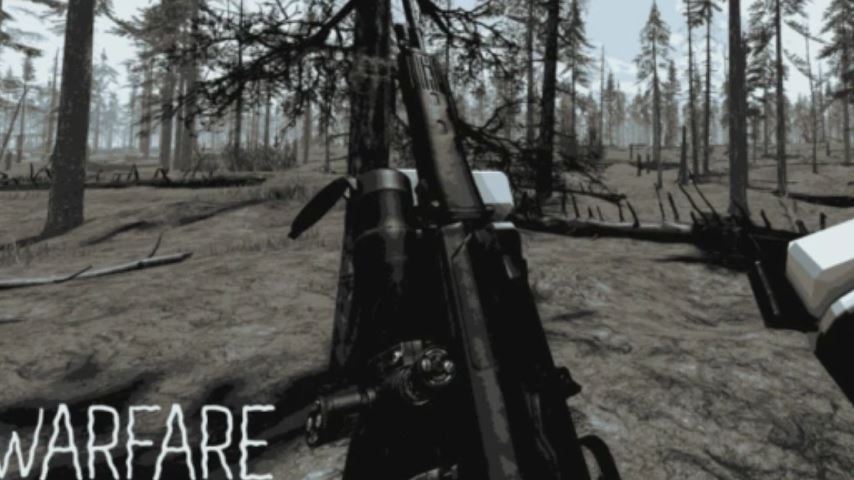
Navigating the fast-paced, objective-focused battlefields of Warfare on Roblox requires more than just quick reflexes; it demands a solid understanding of the game’s control scheme. Whether you’re a new recruit or looking to refine your skills, this complete guide breaks down every keyboard binding and mouse command you need to survive, cooperate with your team, and dominate the match.
Introduction to Warfare on Roblox
Warfare is a team-based first-person shooter experience on the Roblox platform. It throws players into intense, large-scale combat scenarios where coordination and quick thinking are just as important as accurate shooting. With a focus on completing team objectives amidst chaotic firefights, getting a firm grasp of the controls is your first and most crucial step toward victory.
Complete Warfare Roblox Keyboard & Mouse Controls
The control layout in Warfare follows familiar conventions for PC shooters, making it accessible for most players. Here is the full list of default bindings and their functions.
Movement Controls
W / A / S / D: Move forward, left, backward, and right.
Left Shift: Sprint for faster movement.
Spacebar: Jump or vault over low obstacles.
C: Crouch.
X: Reverse Crouch / Prone (go from crouched to standing).
E: Lean Right.
Q: Lean Left.
Combat & Weapon Controls
Left Mouse Button (LMB): Fire your equipped weapon.
Right Mouse Button (RMB): Aim Down Sights (ADS) for more accurate fire.
R: Reload your current weapon.
V: Toggle Fire Mode (switch between automatic, semi-automatic, etc.).
Y: Blind Fire (fire from cover without exposing yourself).
B: Deploy/Undeploy Bipod (when using a supported weapon).
1, 2, 3, etc.: Switch between primary, secondary, and other equipped items.
Utility & Communication
K: Ping/Communications Wheel (mark enemies, locations, or objectives for your team).
I: Open Inventory.
Tab: View the Scoreboard/Team List.
F: Use/Interact with objects (e.g., pick up items, activate objectives).
Mastering the Controls for Better Gameplay
Simply knowing the buttons isn’t enough. Here’s how to effectively use these controls in the heat of battle.
Movement is Key: Use sprinting (Left Shift) to traverse open areas quickly but remember you cannot fire while sprinting. Master leaning (Q/E) to peek around corners while exposing as little of your body as possible.
Utilize Combat Mechanics: Don’t just hold down the trigger. Use aiming (RMB) for precision, especially at range. Know when to use blind fire (Y) from cover to suppress enemies. For support players, deploying a bipod (B) can drastically increase weapon stability.
Teamwork Through Controls: The ping system (K) is vital in a team-oriented game like Warfare. Constantly communicate enemy positions and objective status to coordinate with your squad.
FAQs: Warfare Roblox Controls
Q: Can I customize the controls in Warfare?
A: As of now, Warfare does not have an in-game keybinding menu. The controls are set to the default layout described above.
Q: Are the controls the same on mobile or Xbox?
A: This guide covers the standard PC (keyboard and mouse) controls. Controls on mobile (touchscreen) and console (gamepad) are different and are automatically adjusted for those platforms.
Q: What is ‘Reverse Crouch’ (X) used for?
A: If you are crouched behind cover, pressing X will make your character stand up quickly, which can be faster than releasing the C key, allowing for a quicker peek or engagement.
Q: My gun won’t fire on full auto even when I switch modes. Why?
A: Some weapons in Warfare are inherently semi-automatic. Pressing V toggles the available fire modes for that specific weapon. Not all weapons have a full-auto option.
Q: Is Warfare compatible with all devices on Roblox?
A: Warfare is still in active development. While it runs on most PCs that support Roblox, compatibility and performance across all devices (like lower-spec PCs or some mobile devices) cannot be guaranteed.
Conclusion
Achieving mastery in Warfare Roblox begins with fundamental control proficiency. From basic movement with WASD to advanced combat techniques like leaning (Q/E) and bipod deployment (B), each key binding plays a critical role in your effectiveness on the battlefield. Remember, Warfare is a team game—use the ping system (K) and focus on the objective. Practice these controls, communicate with your squad, and you’ll be well on your way to leading your team to victory in this chaotic and action-packed Roblox FPS experience.